Keep daily spending in view
Organize income and expenses with categories and notes. Compare category budgets with actual spending, and use Pro budget carryover when you need continuity between months.

FinanceFreedom
Money & FIRE planning
Connect everyday money decisions with a longer view. FinanceFreedom brings spending, budgets, assets and financial independence planning into one place, so you can see where you stand and explore different paths ahead.
iPhone · iPadFree download · Optional Pro purchases
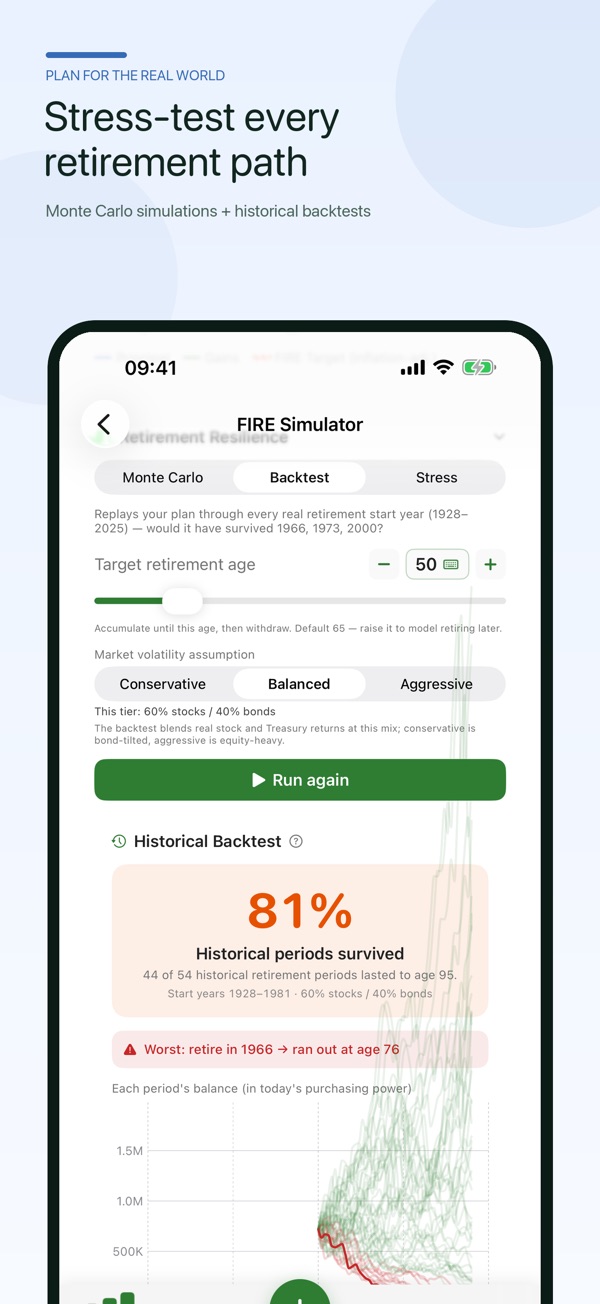
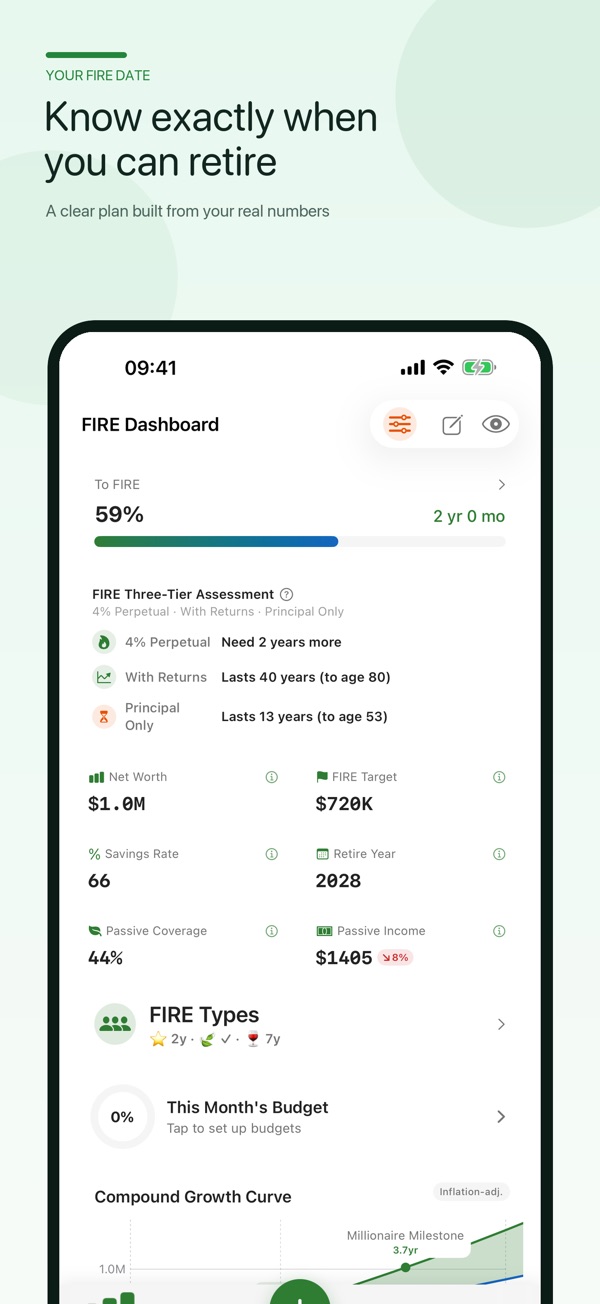
Real app screenshots from the App Store.
Made for the way you work
Organize income and expenses with categories and notes. Compare category budgets with actual spending, and use Pro budget carryover when you need continuity between months.
Record asset and liability snapshots, review your asset mix and follow your net worth over time. See which assets contribute to your FIRE plan.
Compare Standard, Lean, Fat, Barista and Coast FIRE. Adjust your assumptions and explore uncertainty with scenarios, Monte Carlo simulation, backtesting and stress tests.
In the app
Official App Store previews.
Layouts may vary by device and version.
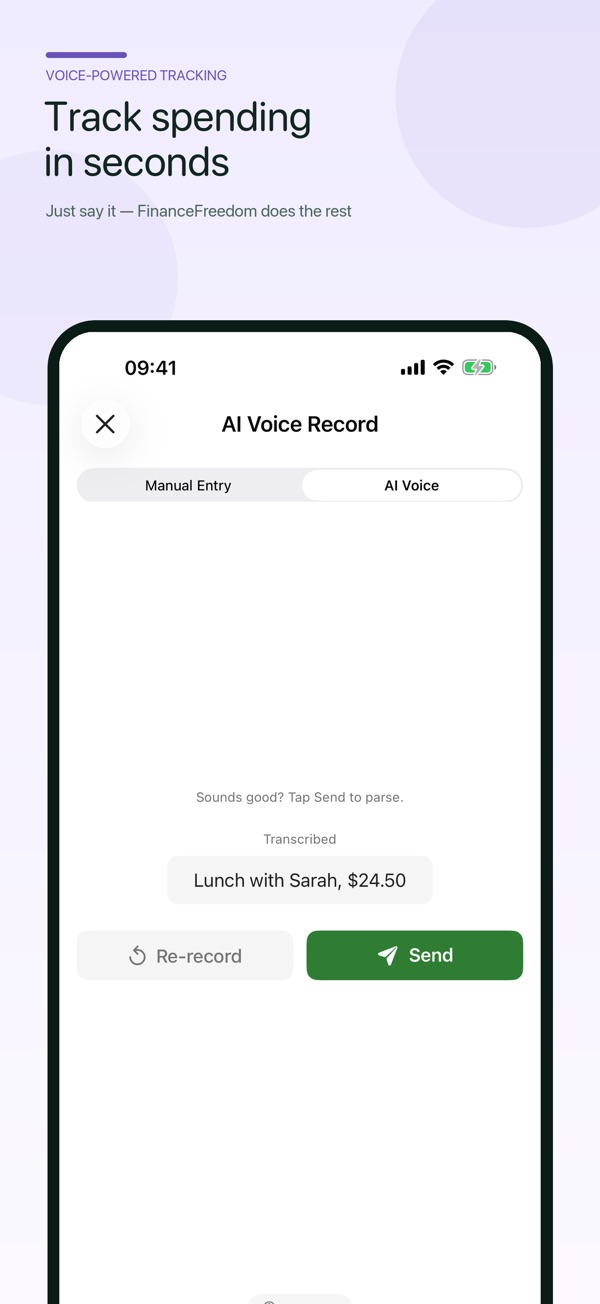
Numbers in these official App Store screenshots are illustrative. Projections and simulation results do not guarantee retirement dates or returns.
Getting started
Start with what you have. Make the choices that fit your task.
Add income, expenses and asset or liability snapshots. Check the categories and amounts so the starting picture reflects your records.
Compare category budgets with actual spending, and set the savings, return, inflation and withdrawal assumptions used in your FIRE plan.
Review the different FIRE approaches and saved scenarios as your records change. Simulation results and dates are estimates, not promises.
A place in your day
Understand where your money goes before deciding what to change.
Compare semi-retirement and full retirement milestones using your own assumptions.
Use Pro shared ledgers with family members on different Apple Accounts.
Good to know
Keep financial records on your device and optionally enable iCloud sync. Cloud AI voice-entry recognition requires a configured service and your consent; review the result before saving.
Projected dates and returns depend on your inputs and assumptions. The free version has ads and usage limits; features such as carryover, shared ledgers and CSV export require Pro.
Questions, answered
No. FinanceFreedom also tracks everyday income, expenses, budgets, assets and liabilities, so your FIRE plan sits alongside your actual financial records.
Yes. Compare Standard, Lean, Fat, Barista and Coast FIRE, including semi-retirement and full retirement milestones.
No. Projections and simulations are estimates based on the data and assumptions you provide. They do not guarantee retirement dates or investment returns.
You can review and edit the transcript, amount, date and category before saving. Cloud AI requires your configured service and consent.
FinanceFreedom
iPhone · iPad