Start with the moment
Choose a scenario such as a tense moment, an upcoming meeting or bedtime. Gentle Reset offers a hold-free starting point.

BreathLever
Guided breathing library
Start with how you feel, then choose a practice you can understand. BreathLever pairs guided breathing with clear explanations, adjustable cues and the freedom to pause, stop or switch.
iPhone · iPad · Apple WatchFree download · Optional Pro purchases
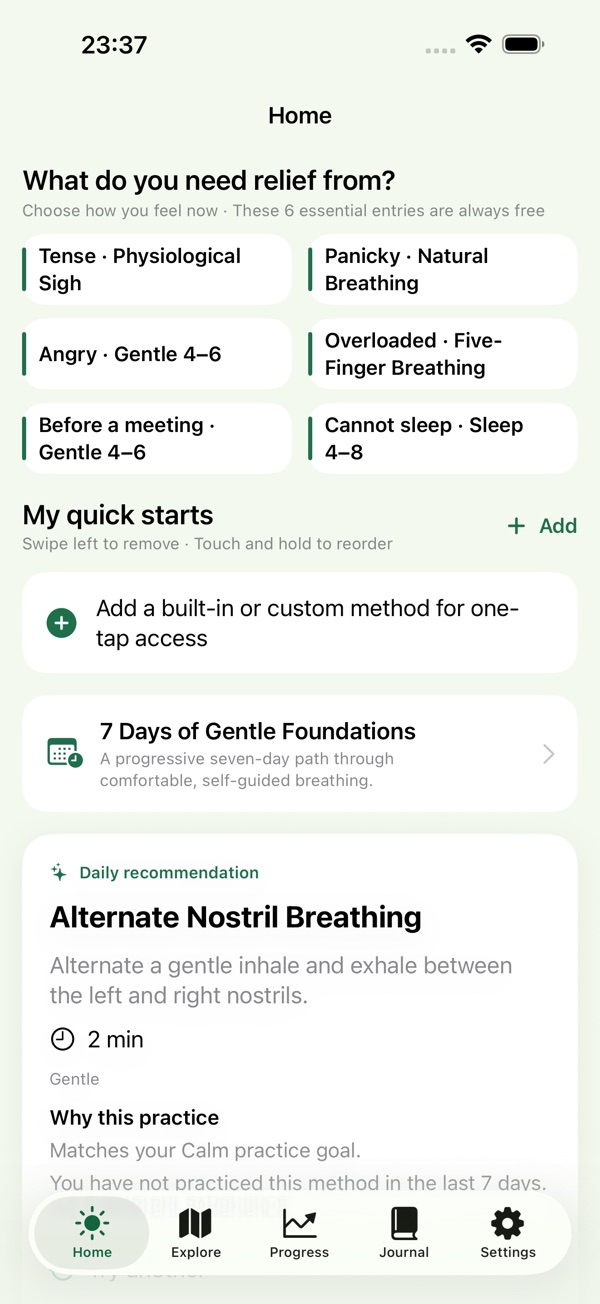
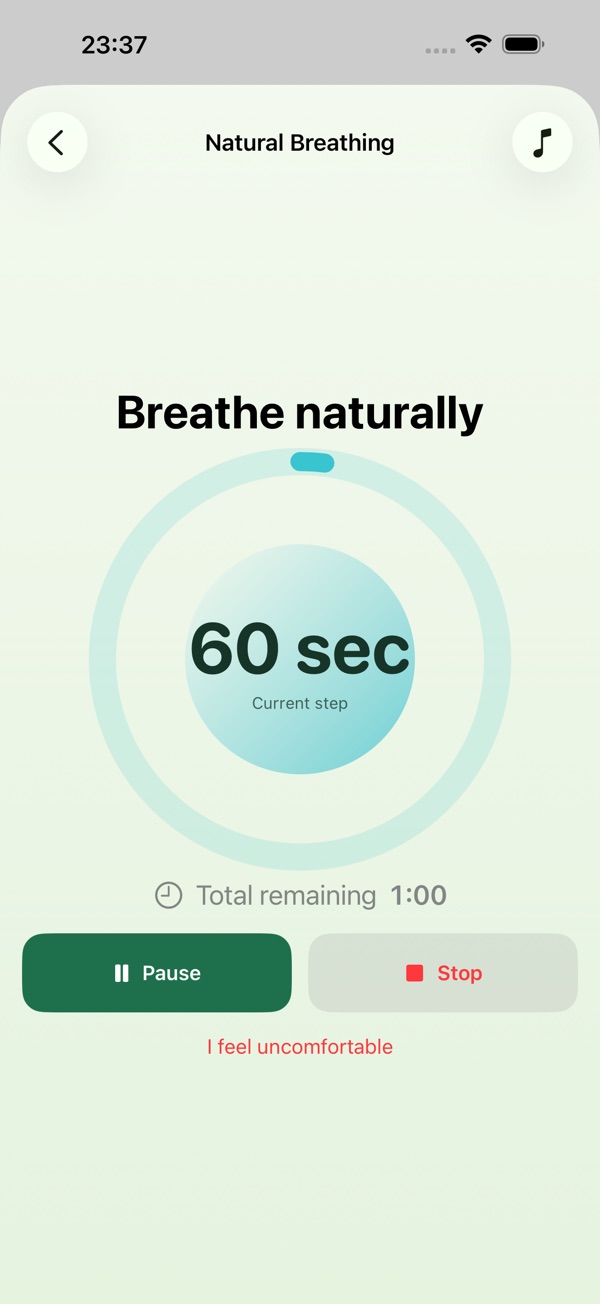
Real app screenshots from the App Store.
Made for the way you work
Choose a scenario such as a tense moment, an upcoming meeting or bedtime. Gentle Reset offers a hold-free starting point.
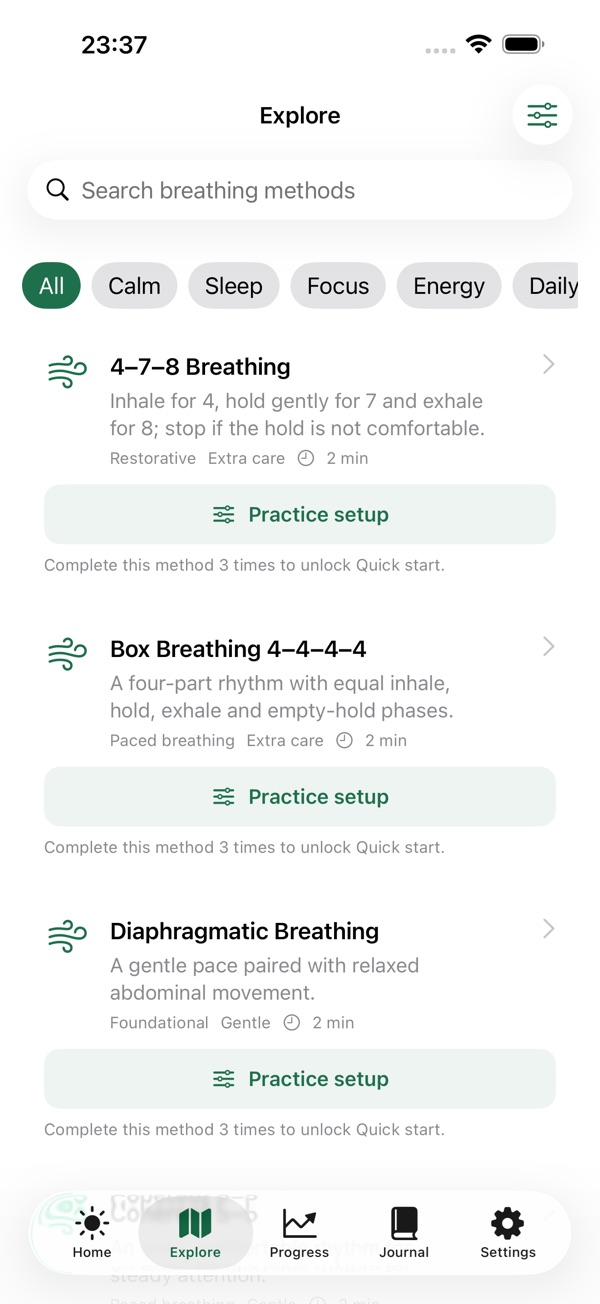
Browse 32 topics: 21 guided practices and 11 safety or education entries. Read the pattern, references, limits and stop signals for each method.
Adjust visual, voice, sound and haptic cues separately. Follow a gentle foundations course, review session history and keep private check-ins.
In the app
Official App Store previews.
Layouts may vary by device and version.
Getting started
Start with what you have. Make the choices that fit your task.
Browse a scenario or goal and read the method's explanation and safety guidance before starting.
Set the visual, voice, sound or haptic cues you prefer. Choose a comfortable pattern rather than forcing a hold.
Follow the guide, and pause or stop any time. Save a personal check-in if useful; the app is for general wellness, not treatment.
A place in your day
Choose a comfortable practice before a meeting or demanding task.
Use reminders, rest days and the seven-day foundations course.
Read what a method involves before deciding whether to try it.
Good to know
Some topics are information-only or require professional guidance. BreathLever is a general-wellness and educational tool for adults, not a medical device.
Do not force breathing or holds; stop if you feel discomfort. Never practice while driving, in water or operating machinery. Pro expands the guided library, course and customization and removes ads.
Questions, answered
No. There are 21 guided practices plus 11 safety and education entries. Some methods are information-only or require professional guidance.
Yes. Pause or stop any time, and skip an optional hold. Keep the practice comfortable rather than forcing a pattern.
BreathLever includes an Apple Watch experience with wrist haptics, alongside its iPhone and iPad app.
No account is required. Practice history, check-ins and journal entries stay on your device by default.
BreathLever
iPhone · iPad · Apple Watch